UGREEN HomeAgent HA100: My NAS, Media Server and Security Camera Setup
❯ on this page 6 sections
Sponsored by UGREEN. UGREEN supplied the HomeAgent HA100 and accompanying kit. The testing, opinions and conclusions below are mine.
UGREEN sent me the HomeAgent HA100 as a sponsored review unit. I did not want to turn this into an unboxing video, because that would not tell you much. I have already been using it in my homelab.
The HA100 is currently doing a few jobs for me: it is a NAS, part of my home-media setup, a place for photos and music, and a recorder for my security cameras. The interesting question is not whether it can tick all of those boxes individually. It is whether putting them in one appliance makes the day-to-day setup simpler.
The short answer so far: it can. But it also means that one box matters to more of your setup, so storage planning, backups and failure boundaries still need proper thought.
The hardware is built around those jobs
The HA100 is an ARM-based appliance built around a Rockchip RK3588 processor and 16GB of RAM. UGREEN also rates its dedicated AI accelerator at 26 TOPS. Those are supplied specifications, not benchmarks I ran myself.
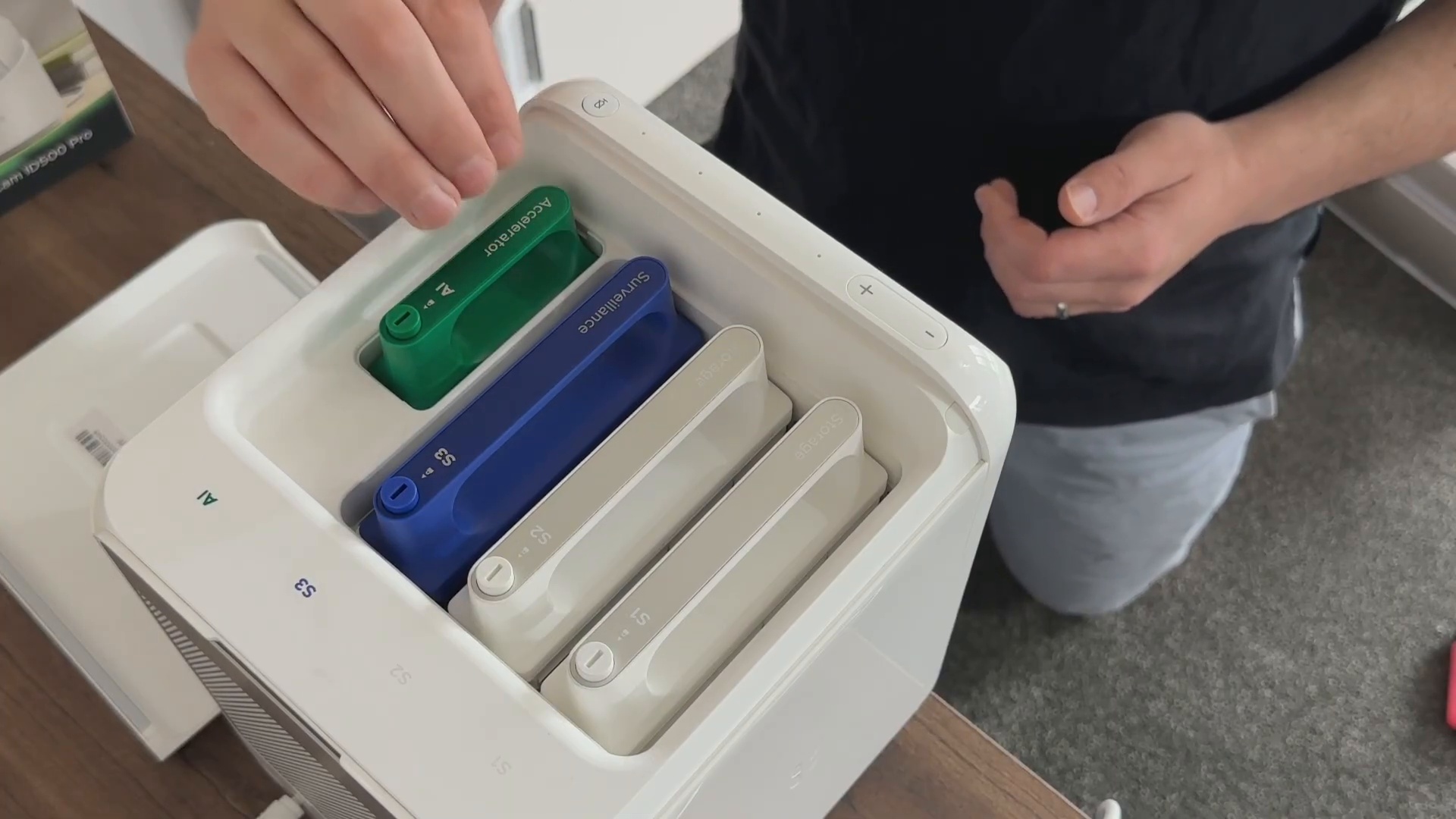
What I found more useful than the headline numbers is the layout. The system has two main storage bays, a separate surveillance-storage path, room for NVMe storage, a 2.5GbE LAN port and camera-focused PoE ports. It gives the unit a clear purpose: ordinary storage and media on one side, camera recording and local processing on the other.
I have installed an NVMe SSD as well. In my setup, it is there for applications that benefit from faster storage, rather than being treated as a magic performance upgrade for every workload.
A NAS that has become part of my media setup
This was not a blank test box for long. I have music stored on it, photos backed up to it, and Docker containers running on it as part of the media side of the homelab.
The HomeAgent app is the central place I use to access the system. That includes music, photos, applications and its other services. I also run my own media-related containers, including Navidrome, alongside it.
That distinction matters: a Docker application I installed is not the same thing as a built-in UGREEN feature. The HA100 provides the platform and storage; the apps I choose are still my choices.
The practical benefit is having the storage and applications close together in one tidy appliance. The trade-off is equally practical: if this appliance is unavailable, more than one useful service can be affected. RAID is not a backup, and putting media and camera footage in the same place does not remove the need for a recovery plan.
Where it becomes more than a NAS
The other major part of my setup is surveillance.
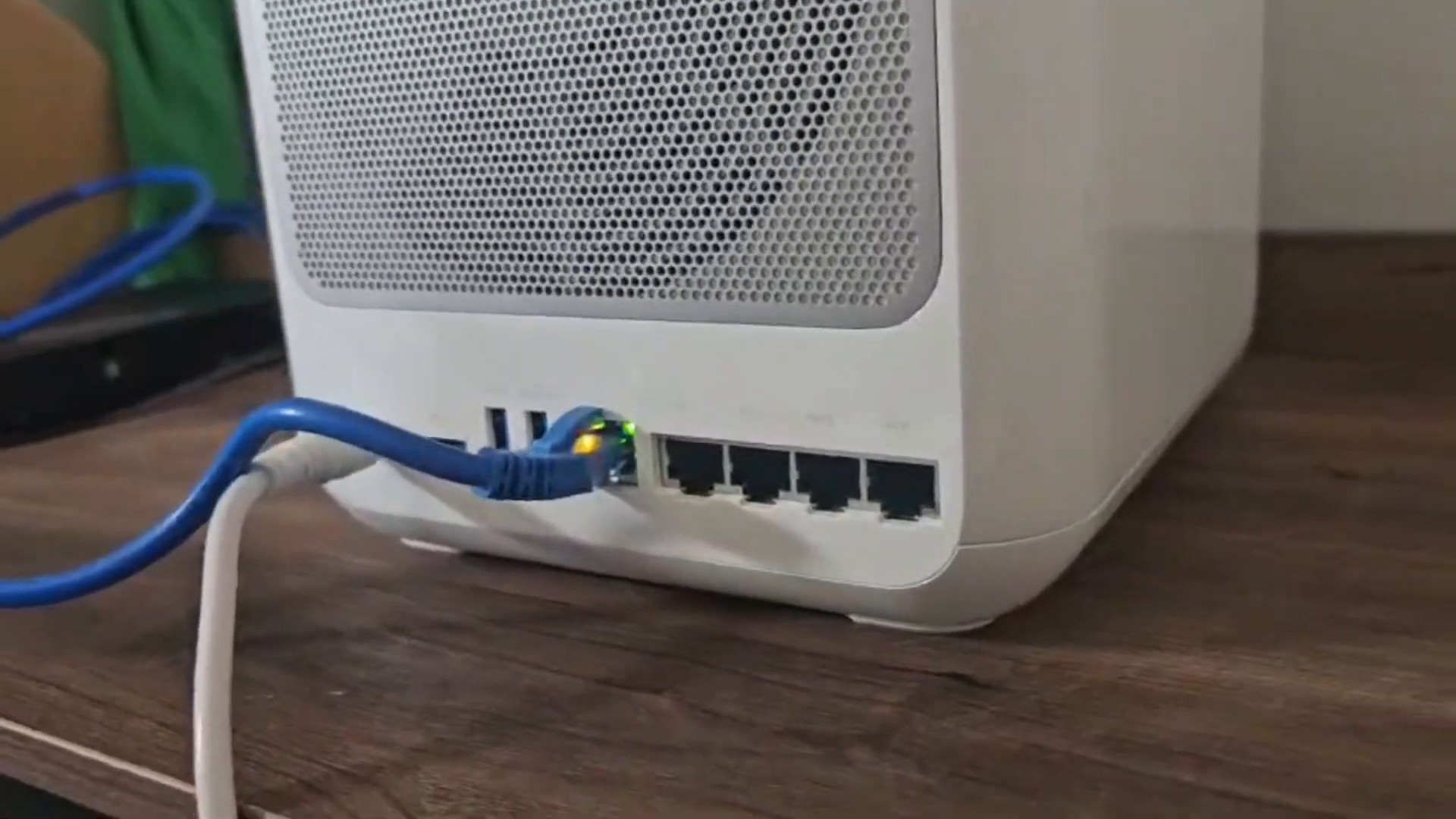
I am using the supplied indoor camera over Wi-Fi, while the outdoor camera is intended to be hard-wired using Power over Ethernet. The HA100’s camera ports can provide power and data over the same cable for compatible cameras, which is a much cleaner approach than adding a separate power supply at the camera location.
In the app, I can see recorded clips and events without showing a live view of the house. That was deliberate in the video. A review can demonstrate the workflow without publishing camera coverage, routines or anything a curious person should not know about.
The camera controls and recording timeline are the useful test here. A live feed is easy to show. Finding a recording, playing it back, and getting footage out when needed is what decides whether a camera system earns its place.
Local AI, with an important caveat
The HA100 can run a local model and has an AI section in the app. On my unit, I showed the local model manager and the Qwen 3.5 4B model listed in the interface. UGREEN also allows cloud-model API keys, but I am using the local route because I am trying to avoid turning every useful feature into another subscription.
The local-first angle is the reason this product is interesting to me. Files, recordings and supported AI processing can stay on the appliance rather than automatically being pushed into a paid cloud recording plan.
But those claims need separating:
- Local storage does not automatically prove every feature works offline.
- Local AI does not mean every future AI feature was present or tested on my firmware.
- No mandatory cloud-recording subscription does not mean the hardware and storage are free.
That is especially relevant for a Kickstarter product. Judge it on the functions available when you are considering it, not only the roadmap.
The appeal, and the trade-off
I do not see the HA100 as a replacement for every DIY tool in a mature homelab. If you already enjoy running separate NAS, NVR, smart-home and AI services, you will probably retain more flexibility by keeping those systems independent.
This is more appealing to someone who wants local storage, a home-media platform and camera recording without assembling every piece from scratch. The combination of storage, a camera-oriented interface, PoE support and a local-model option makes it a genuinely interesting all-in-one appliance.
For me, the strongest point is that it has already become useful rather than just decorative. It has a permanent place in the homelab as a NAS, a media component and a camera recorder. The biggest thing I will keep watching is the software: reliability and usable features matter much more than a long roadmap.
Watch the full walkthrough
The video shows the hardware, the HomeAgent app, my media setup and the camera workflow in more detail:
UGREEN’s campaign information and any current reservation offer can change. Check the official campaign page linked in the video description for the current price, eligibility, shipping and terms before committing.
If you have questions about how I am using it, ask in the YouTube comments, the Techdox Discord or Matrix community. I will be covering the HA100 again as the software develops and I spend more time with it.